Command Palette
Search for a command to run...
USO: A Unified Style and Subject-Driven Image Generation Model
Date
Size
699.93 MB
License
Apache 2.0
GitHub
Paper URL
1. Tutorial Introduction

USO, launched by ByteDance's UXO team in August 2025, is a unified framework for content and style decoupling and recombining. It can freely combine any theme and style in any scene to generate images with high subject consistency, strong style fidelity, and a natural, non-artificial feel. USO constructs a large-scale triplet dataset, employs a decoupling learning scheme to simultaneously align style features and separate content and style, and introduces Style Reward Learning (SRL) to further improve model performance. USO has released the USO-Bench benchmark test for comprehensively evaluating style similarity and subject fidelity. Experiments show that USO achieves state-of-the-art performance among open-source models in both subject consistency and style similarity. Related research papers are available. USO: Unified Style and Subject-Driven Generation via Disentangled and Reward Learning .
The computing resources used in this tutorial are a single RTX 4090 card.
2. Effect display
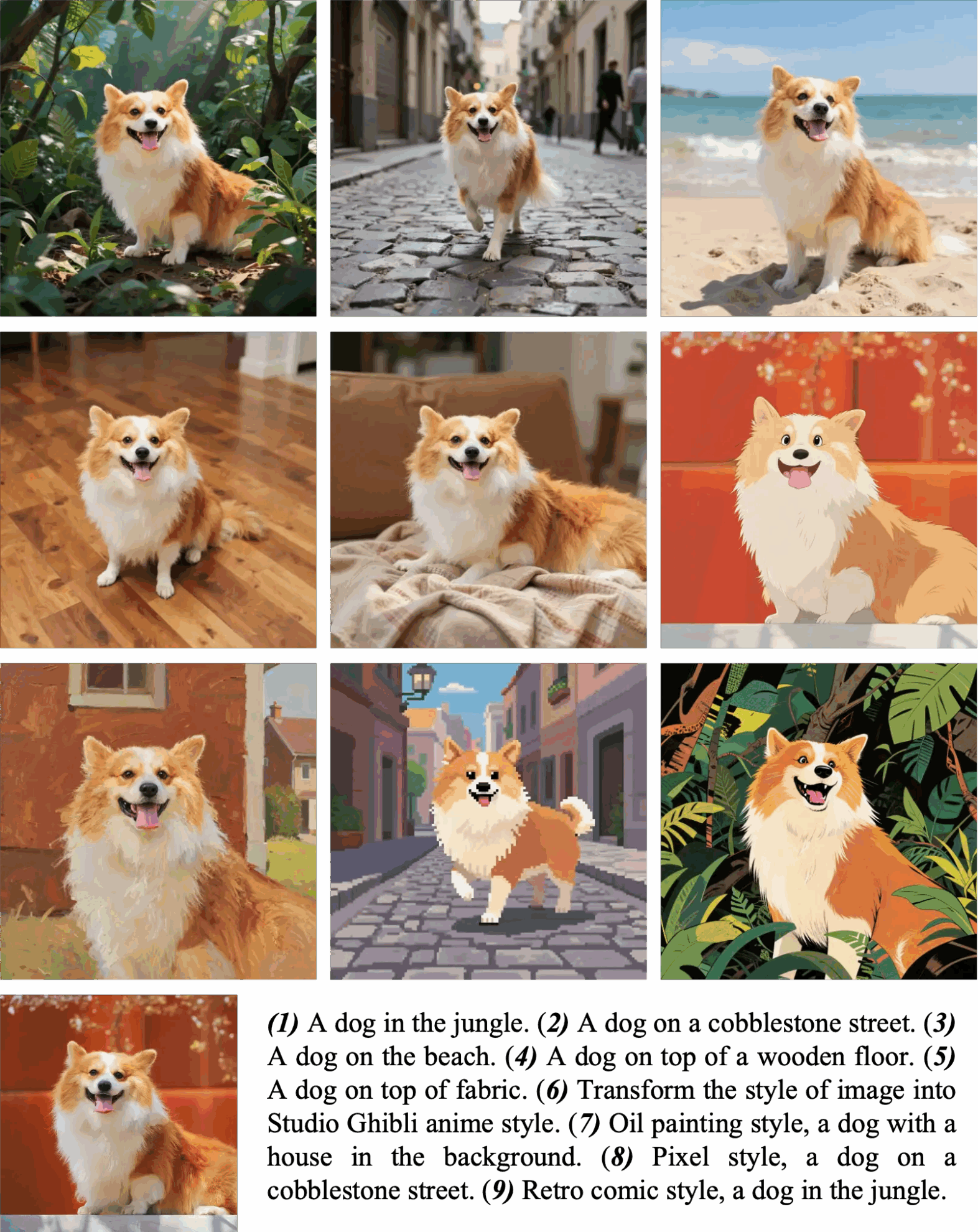
Theme/Identity Driven Generation
If you want to place the subject into a new scene, use natural language, such as "The dog/man/woman is doing...". If you only want to transfer the style while preserving the layout, use guiding cues, such as "Transfer the style to the style of...". For portrait generation, USO excels at generating images with high skin detail. Practical Guide: For half-body cues, use half-body close-ups; use full-body images when the pose or framing changes significantly.
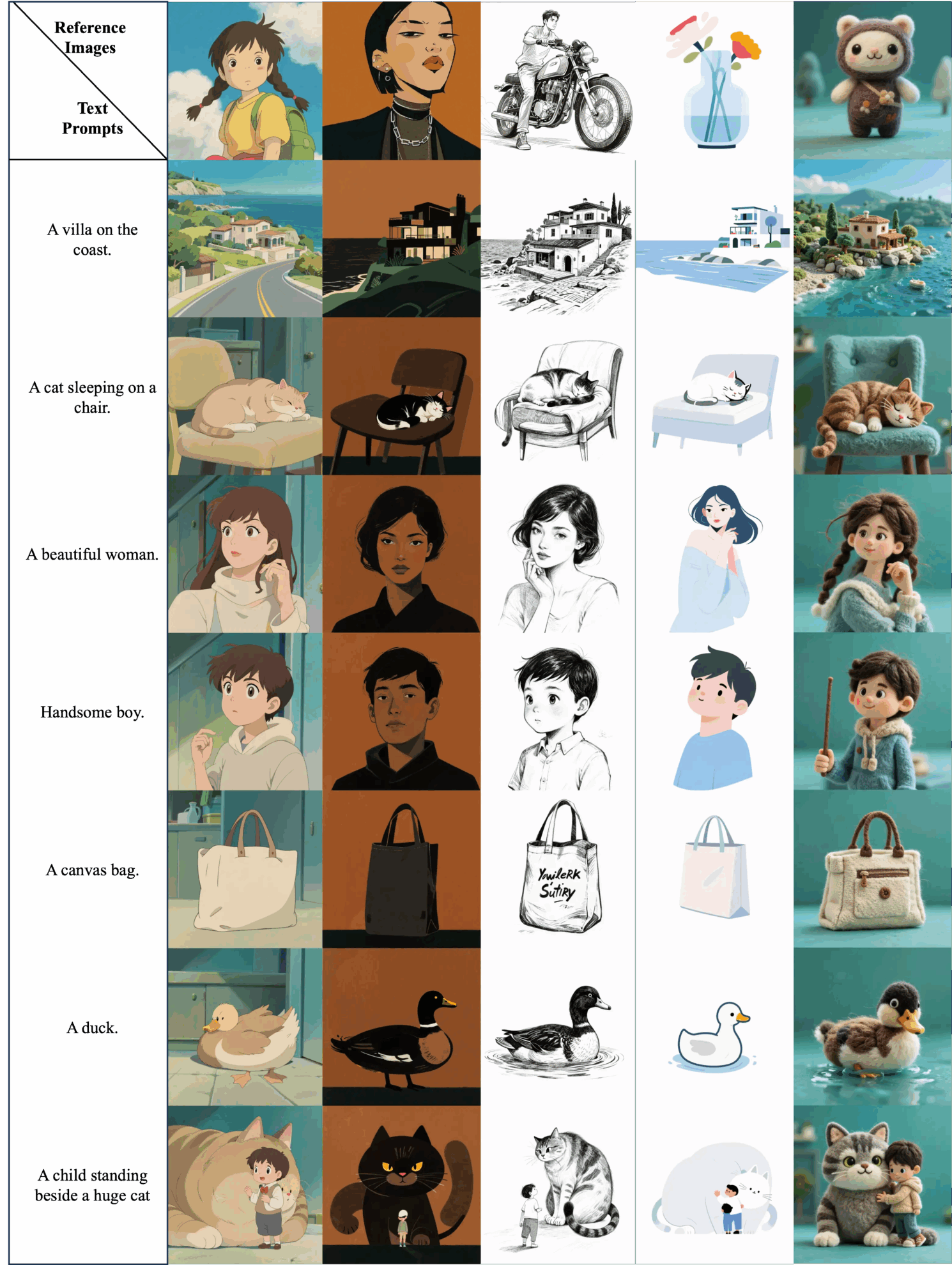
Style-driven generation
Simply upload one or two images of your style and use natural language to create the image you want. USO will follow your prompts and generate images matching the style you uploaded.
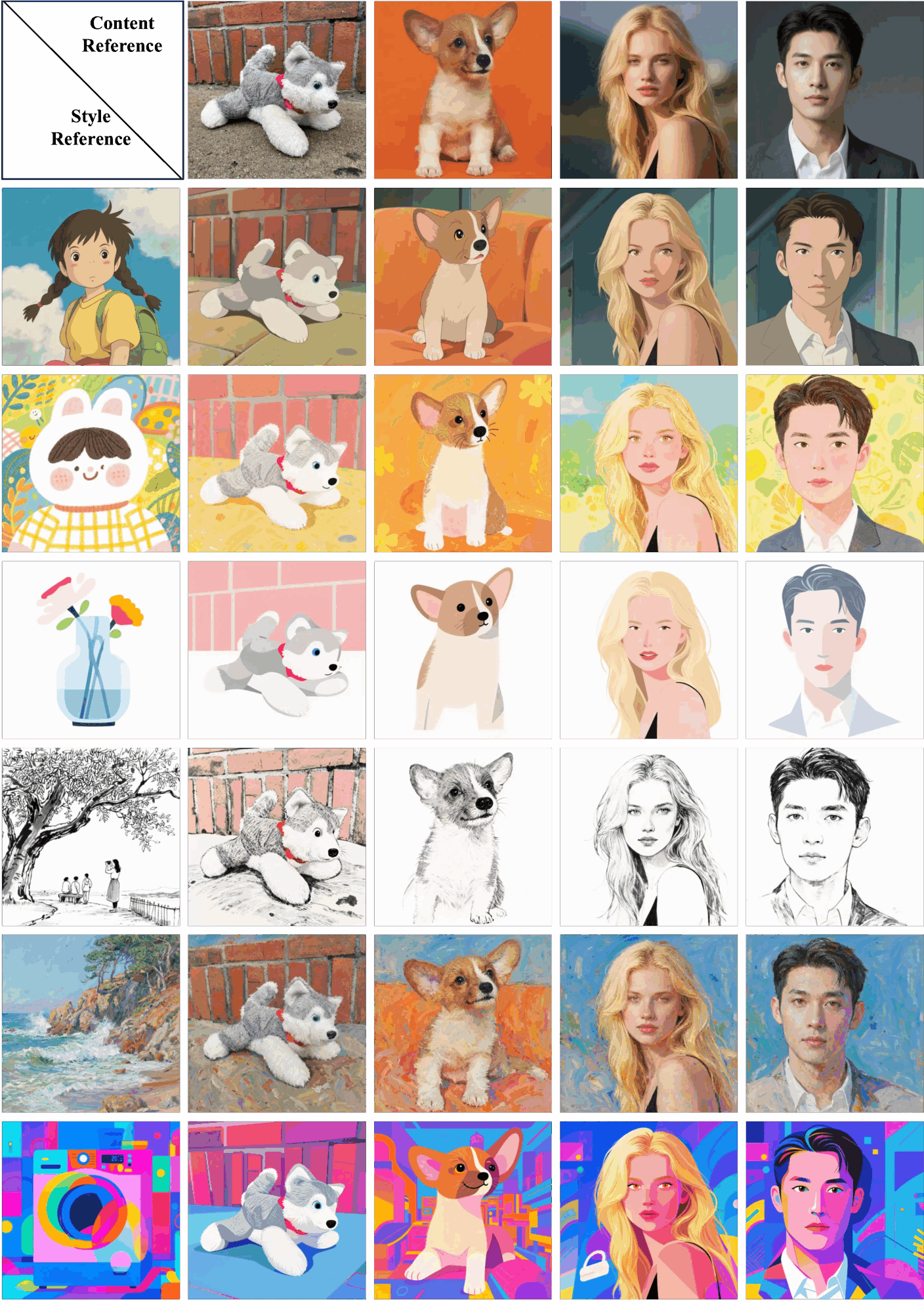
Style theme driven generation
USO can style a single content reference using one or two style references. For layout-preserving builds, simply set the hint to empty.
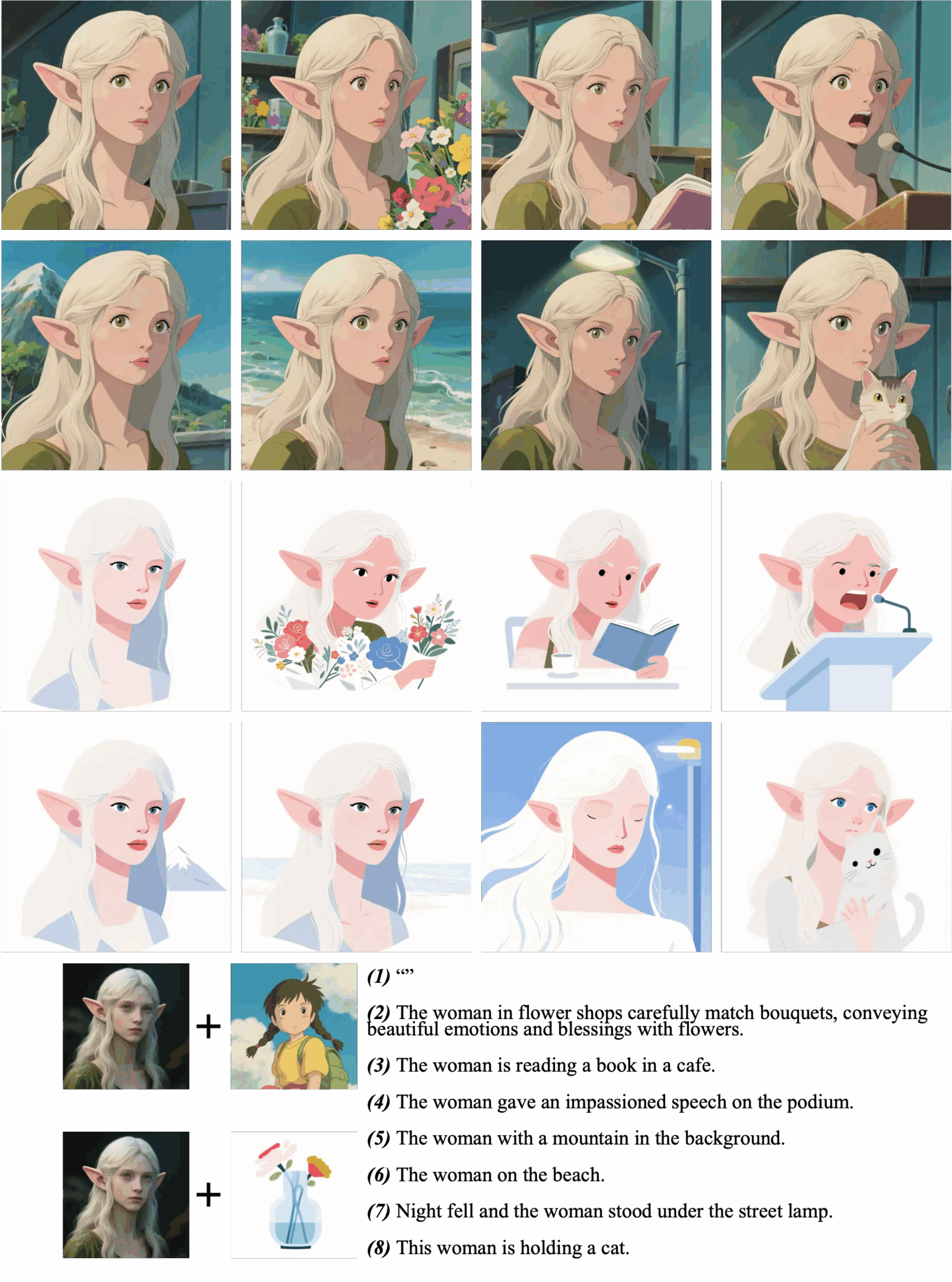
Layout-preserving builds
Layout offset generation
3. Operation steps
1. Start the container
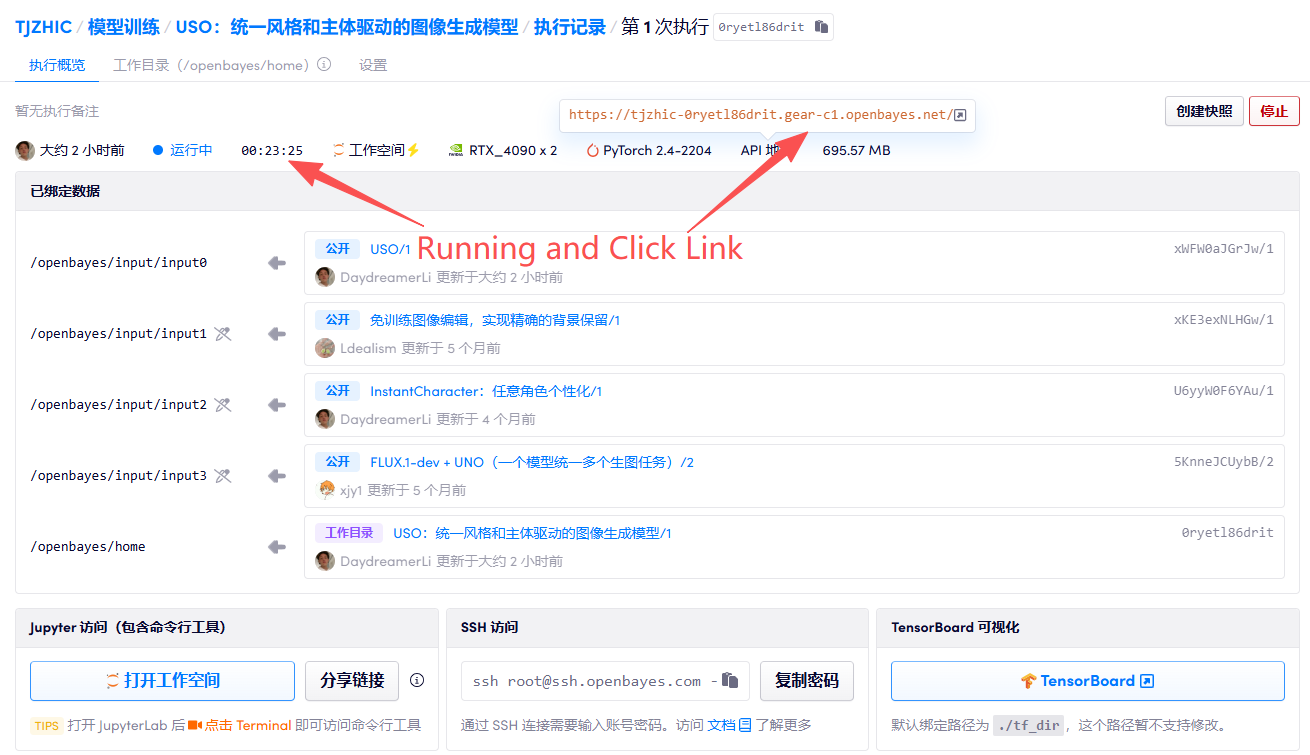
2. Usage steps
If "Bad Gateway" is displayed, it means the model is initializing. Since the model is large, please wait about 2-3 minutes and refresh the page.
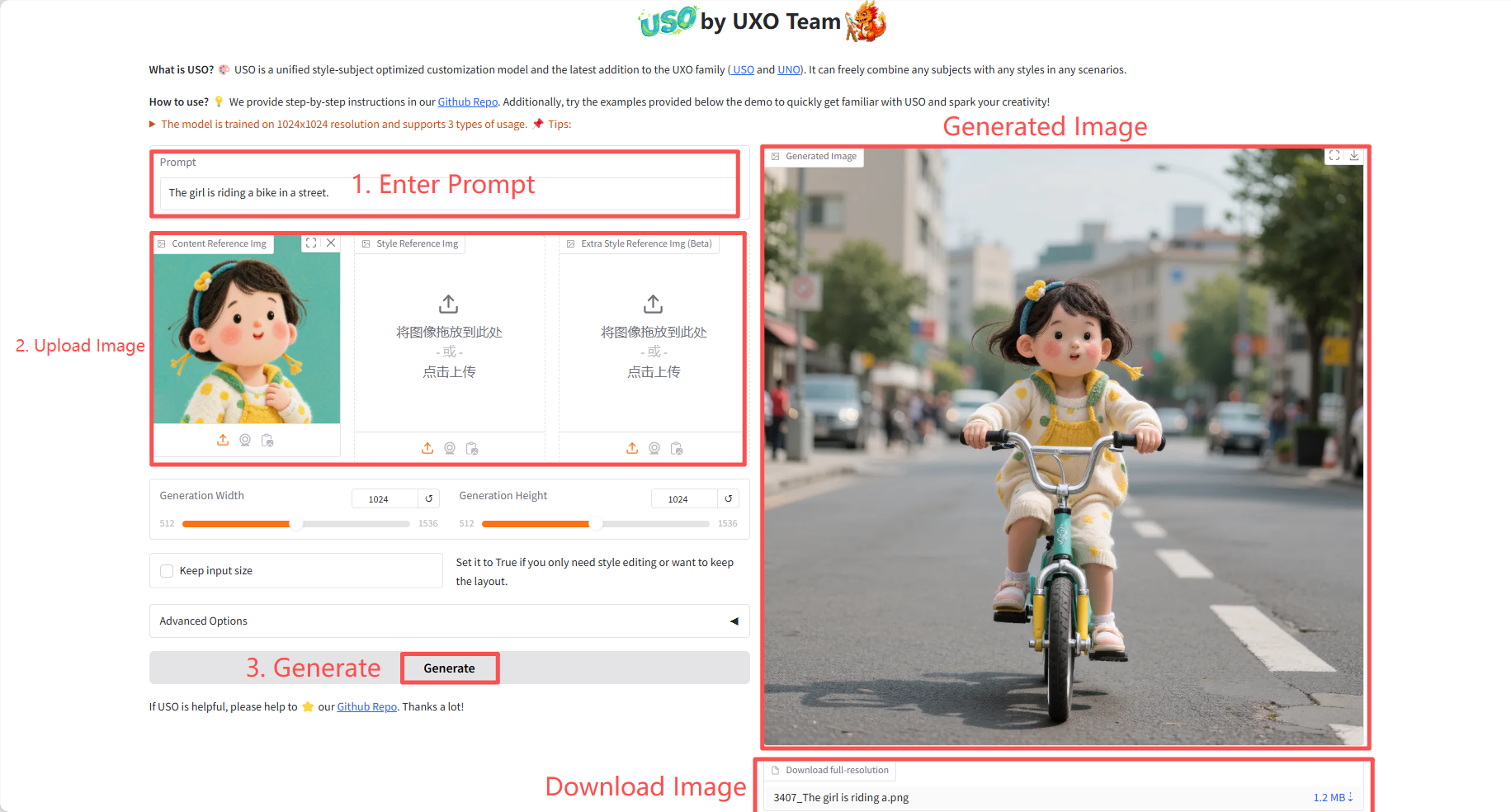
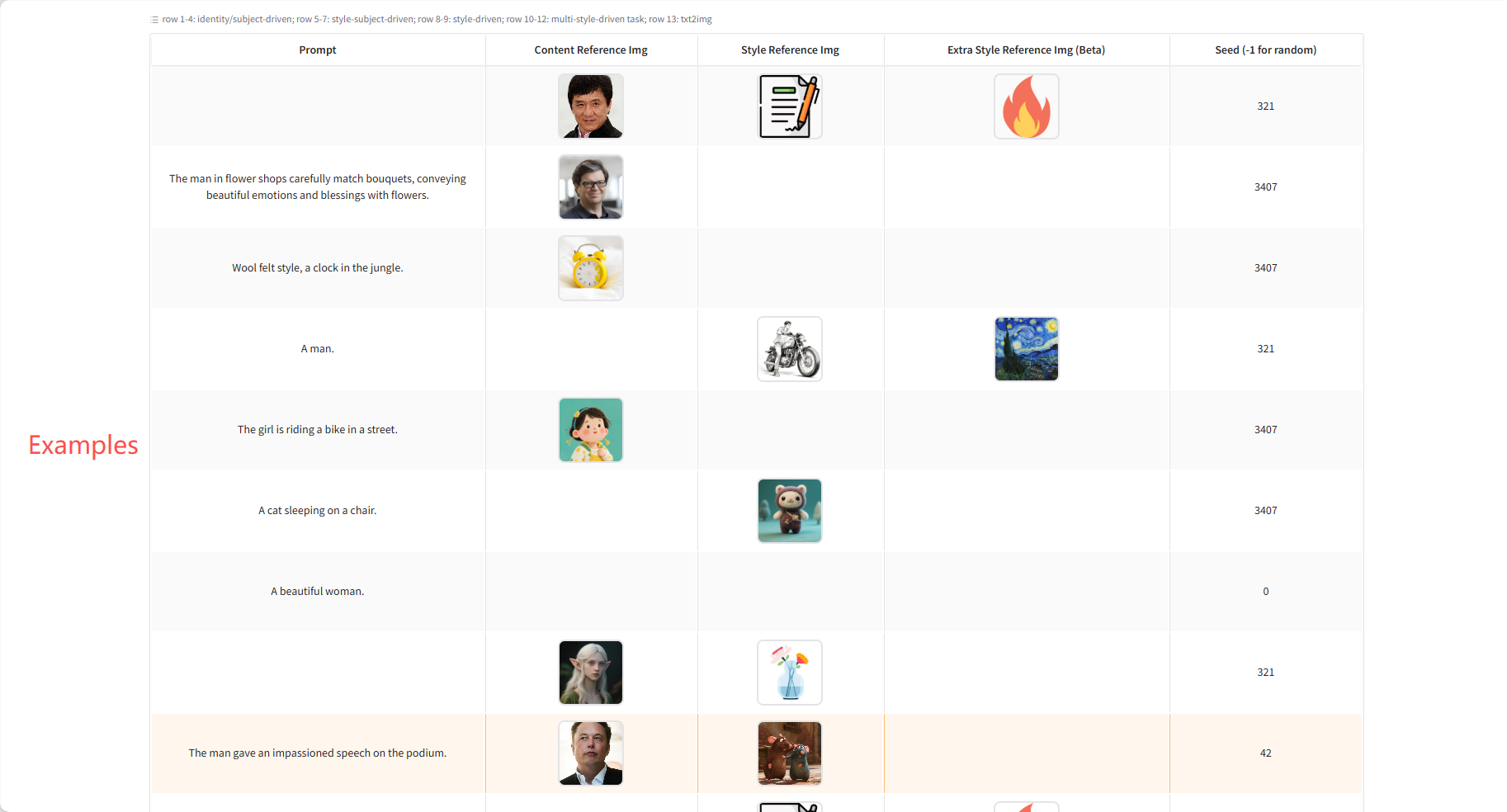
Specific parameters:
- Generation Width: Generate image width.
- Generation Height: The height of the generated image.
- Keep input size: Set this to True if you only need style editing or want to preserve the layout.
- Advanced Options:
- Number of steps: Controls the number of iterations in the diffusion model generation process. A higher number of steps theoretically results in higher image quality, but also increases the generation time.
- Guidance: Controls the degree to which the generated image follows the prompt word and reference image.
- Content reference size: When processing the content reference image, it may be scaled to this specified longest side length (maintaining the aspect ratio) before feature extraction.
- Seed (-1 for random): Controls the initial state of the random number generator.
4. Discussion
🖌️ If you see a high-quality project, please leave a message in the background to recommend it! In addition, we have also established a tutorial exchange group. Welcome friends to scan the QR code and remark [SD Tutorial] to join the group to discuss various technical issues and share application effects↓

Citation Information
Thanks to Github user SuperYang Deployment of this tutorial. The reference information of this project is as follows:
@article{wu2025uso,
    title={USO: Unified Style and Subject-Driven Generation via Disentangled and Reward Learning},
    author={Shaojin Wu and Mengqi Huang and Yufeng Cheng and Wenxu Wu and Jiahe Tian and Yiming Luo and Fei Ding and Qian He},
    year={2025},
    eprint={2508.18966},
    archivePrefix={arXiv},
    primaryClass={cs.CV},
}
Build AI with AI
From idea to launch — accelerate your AI development with free AI co-coding, out-of-the-box environment and best price of GPUs.